Following up on my popular Rust and Lambda article, I wanted to explore how to put an event on an AWS EventBridge Bus. If you aren’t familiar with AWS’ EventBridge, think of it as a highly scalable Event Router with built-in scheduling and data transformation. Let’s take a deeper look at putting events on EventBridge with Lambda and Rust.
Architecture
The layout of this solution is very simple. The main point is to highlight the Rust AWS SDK and how to interact with incoming JSON requests and forward them to EventBridge.

So let’s jump right in!
EventBridge with Lambda and Rust
One of the things that I’ve struggled with while learning Rust is finding good examples and working code. Below is a walkthrough of a fully functioning and clonable repository that should give a great starting point to build around.
CDK as the IaC Vehicle
I’ve been back and forth publicly on SAM vs CDK but I tend to be more productive in CDK so this article will include a deployable stack so that you can test in your account. I want to break apart a few of the pieces that I think are worth calling out.
RustFunction
Putting an event on EventBridge with Lambda and Rust requires an additional tool to get the job done. I’ve written a little bit about Cargo Lambda and this project is how I recommend building Rust functions. It also just so happens that there is a CDK Construct for generating a release-ready bundle. The main thing to note in the construct is that I’m pointing to a manifest file. I’ll get into what is in that file when I get to the Rust part of this article.
const rustFunction = new RustFunction(this, "RustFunction", {
  manifestPath: "./Cargo.toml",
  environment: {
    EVENT_BUS_NAME: "default",
  },
});
FunctionURL
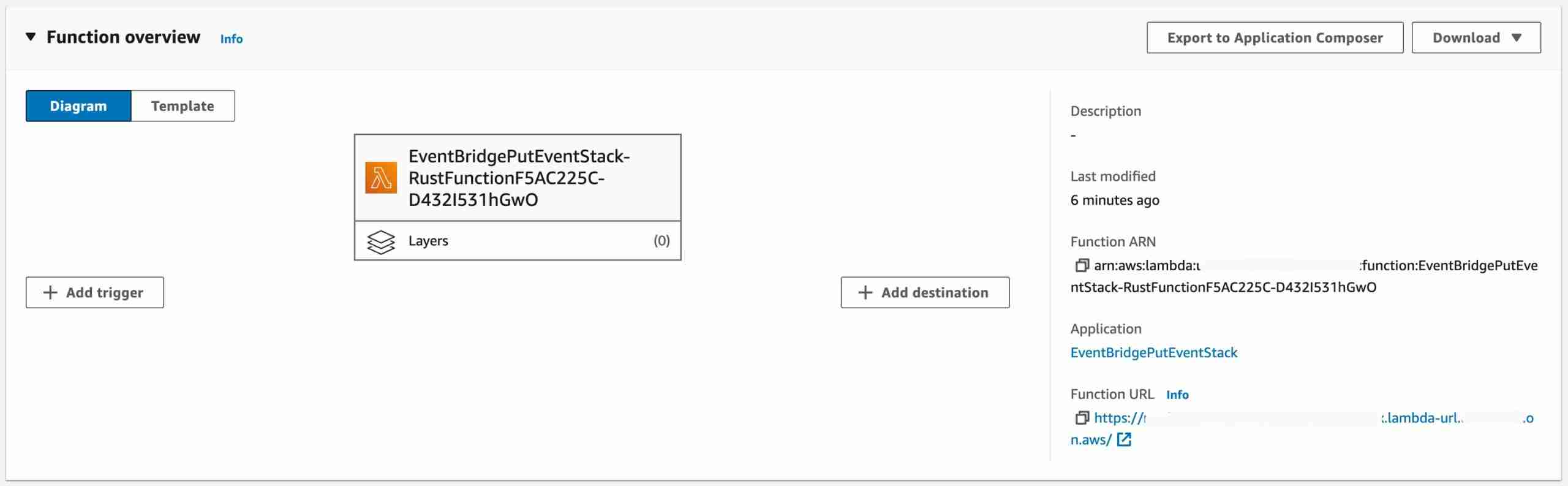
I wanted to keep this focused on the EventBridge with Lambda and Rust part of the repository so instead of using API Gateway and adding more layers, I’m just creating a FunctionURL.
rustFunction.addFunctionUrl({
  authType: FunctionUrlAuthType.NONE,
});
The function will have the URL attached to it.
EventBridge Rule and Target
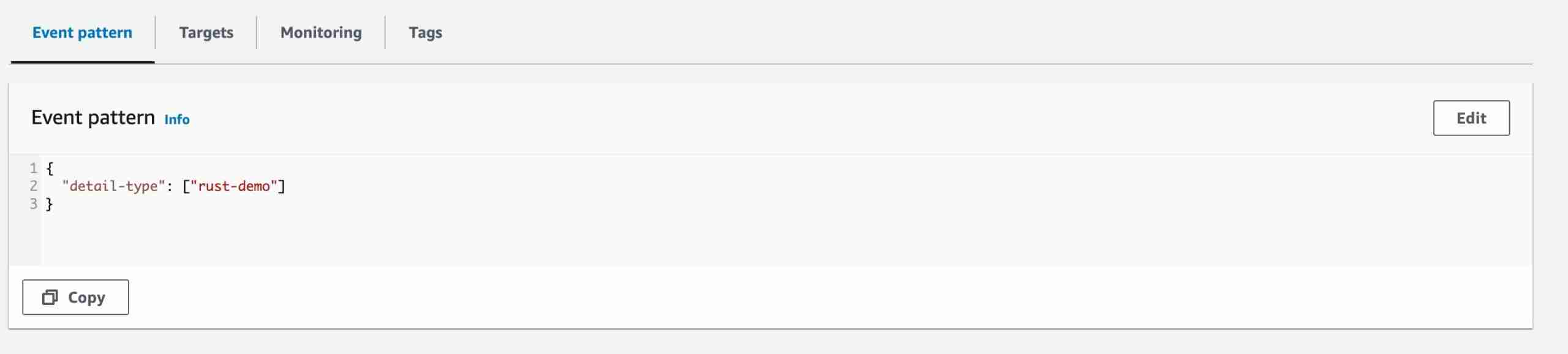
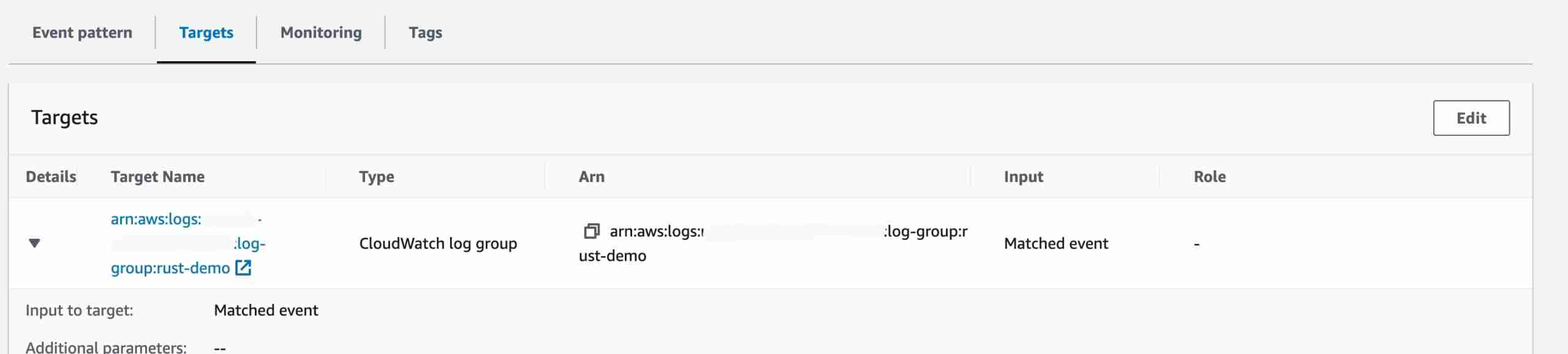
With a Rust Lambda now created I need to be able to test the functionality. Doing that requires a Rule and Target on the EventBridge default bus. (You could use any bus you want)
const bus = EventBus.fromEventBusName(this, "EventBus", "default");
bus.grantPutEventsTo(rustFunction);

const rule = new Rule(this, `ForwardToCloudWatch`, {
  description: "Send sample events to CloudWatch",
  eventBus: bus,
  eventPattern: {
    detailType: ["rust-demo"],
  },
});

const logGroup = new LogGroup(this, "RuleLogGroup", {
  logGroupName: "rust-demo",
  removalPolicy: RemovalPolicy.DESTROY,
});

rule.addTarget(new CloudWatchLogGroup(logGroup));
The rule and target will look like this when deployed.
Rust Code
I have the infrastructure, but what does the code look like to power the function?
Main and Setup
A Rust binary starts with main. Putting an event on EventBridge with Lambda and Rust is no exception.
Let’s walk through the below.
- Tracing Subscriber - Tracing in Rust is just like what it sounds. It’s a way to emit structured events and information about a program. A tracing subscriber is what listens for those traces and the
fmtor standard subscriber emits the traces out like log lines. - aws_sdk_eventbridge::Client - This is the EventBridge SDK Client which will broker the operations to the EventBridge Service
- run( … ) - The function takes the handler which runs when events are received. This technique of wrapping and supplying additional arguments is an easy and quick way to initialize the SDK once and then reuse it. From my experience, the SDK init is what causes the Cold Start init to be greater than 100ms but usually no more than 150ms.
#[tokio::main]
async fn main() -> Result<(), Error> {
    tracing_subscriber::fmt()
        .with_max_level(tracing::Level::INFO)
        .with_target(false)
        .json()
        .init();

    let config = aws_config::load_from_env().await;
    let client = aws_sdk_eventbridge::Client::new(&config);
    let shared_client: &aws_sdk_eventbridge::Client = &client;

    let bus_name = env::var("EVENT_BUS_NAME").expect("EVENT_BUS_NAME must be set");
    let cloned_bus_name = &bus_name.as_str();
    run(service_fn(move |payload: Request| async move {
        function_handler(cloned_bus_name, shared_client, payload).await
    }))
    .await
}
Function Handler
Think of the handler as the function in “Lambda Function”. This body will be executed on every request to the Function URL.
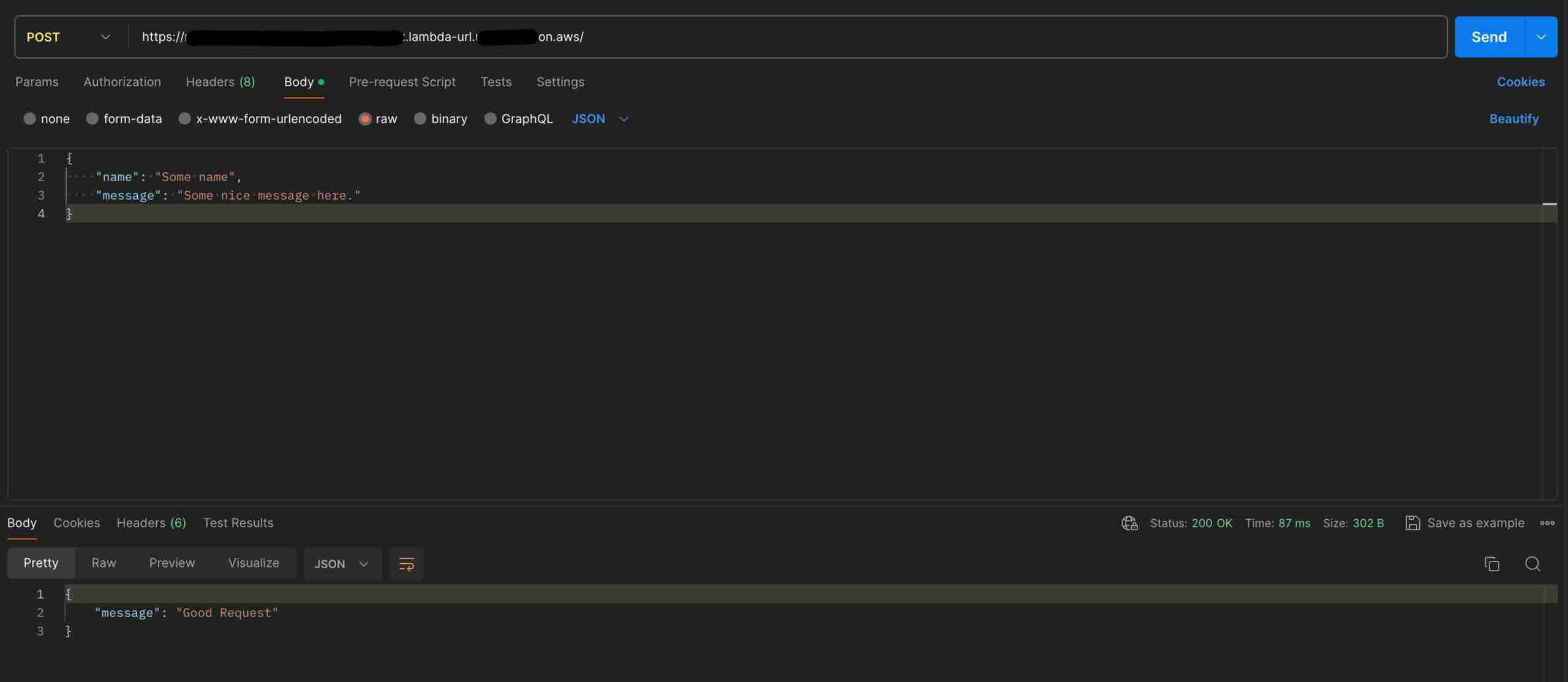
I don’t want to oversimplify things, but what’s going on here can be summed up like this. A request comes in, the function verifies that a body is present, converts that body to a struct and then sends it to be published. If at any point those things aren’t true and there is an error, the function will return 400 and “Bad Request”.
async fn function_handler(
    bus_name: &str,
    client: &aws_sdk_eventbridge::Client,
    event: Request,
) -> Result<impl IntoResponse, Error> {
    let mut status_code = 200;
    let mut response_body = "Good Request";

    let body = event.body();
    let body_string = std::str::from_utf8(body).expect("Body wasn't supplied");
    let payload: Result<Payload, serde_json::Error> = serde_json::from_str(body_string);

    match payload {
        Ok(payload) => match send_to_event_bridge(client, &payload, bus_name).await {
            Ok(_) => info!("Successfully posted to EventBridge"),
            Err(_) => {
                status_code = 400;
                response_body = "Bad Request";
            }
        },
        Err(_) => {
            status_code = 400;
            response_body = "Bad Request";
        }
    }
    {}

    let response = Response::builder()
        .status(status_code)
        .header("Content-Type", "application/json")
        .body(
            json!({
              "message": response_body,
            })
            .to_string(),
        )
        .map_err(Box::new)?;

    Ok(response)
}
Putting an Event on EventBridge with Lambda and Rust
Alright, the part why you showed up. Publishing an Event on EventBridge with Lambda and Rust should feel like working with other clients in the Rust SDK. That’s one of the things I’ve really enjoyed so far about working with the AWS Rust SDK. Consistency.
The code will operate on the client built during the main function. And working through the function here are the things to note.
- async: This function will operate asynchronously. To learn more about Rust and async, here’s a nice book.
- payload: Rust loves the builder pattern. I do too. And so does the AWS Rust SDK. I’m simply building up a
PutEventsRequestwhich can then be sent via theclient. - send is async: this is where the async part comes into play. This code is also an expression as it evaluates to a result of
Result<PutEventsOutput, SdkError<PutEventsError>>
async fn send_to_event_bridge(
    client: &aws_sdk_eventbridge::Client,
    payload: &Payload,
    bus_name: &str,
) -> Result<PutEventsOutput, SdkError<PutEventsError>> {
    let detail_type = format!("rust-demo");
    let s = serde_json::to_string(&payload).expect("Error serde");
    let request = aws_sdk_eventbridge::types::builders::PutEventsRequestEntryBuilder::default()
        .set_source(Some(String::from("RustDemo")))
        .set_detail_type(Some(detail_type))
        .set_detail(Some(String::from(s)))
        .set_event_bus_name(Some(bus_name.into()))
        .build();
    client.put_events().entries(request).send().await
}
What does it look like?
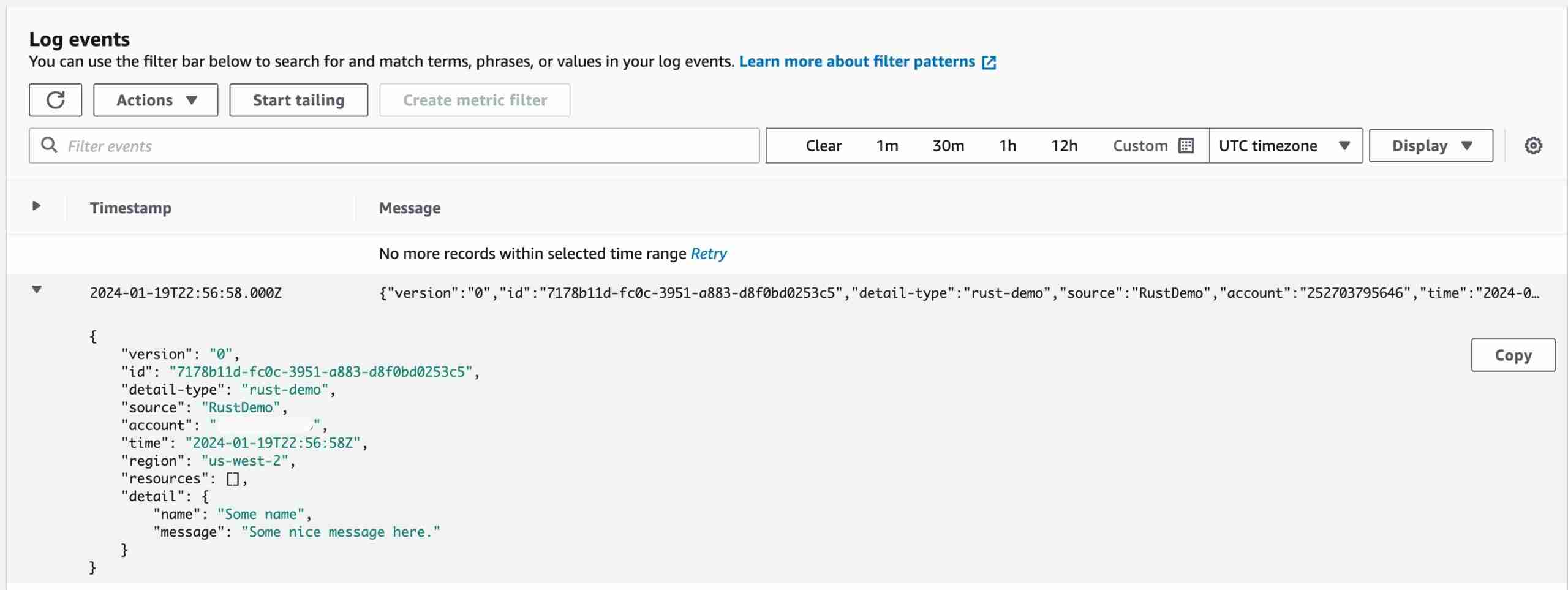
With the code deployed and the function explained, here is what it looks like when executed.
Postman
CloudWatch Log
Wrapping Up
Repository
I promised a full working sample and here’s the GitHub repository. The repository will require that you have the following things installed.
- Node
- CDK
- Rust
To deploy to your environment, simply run
# Deploy
cdk deploy
# Destroy
cdk destroy
Closing Thoughts
I continue to be encouraged by working with Rust and Lambda. I enjoy the toolchain and value the performance that comes with running a binary in a Lambda. Hopefully, you’ve seen how easy it is to put an event on EventBridge with Lambda and Rust.
As I’ve mentioned several times, ‘24 is the year I produce as much quality Rust and Serverless content as I can. This article supports that goal which I hope you appreciate.
Thanks for reading and happy building!